
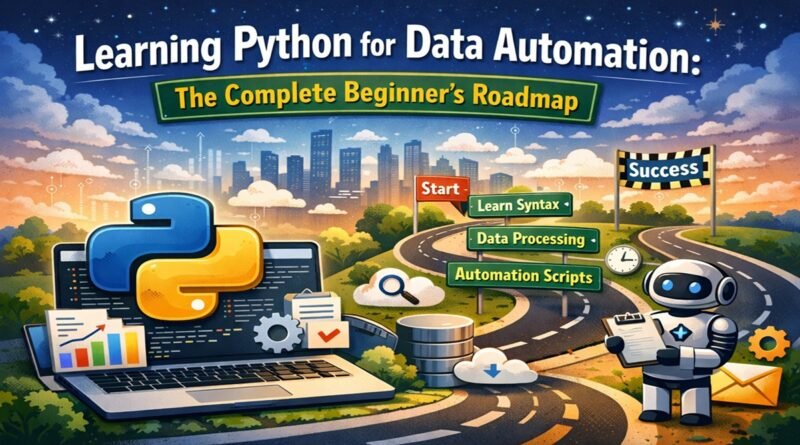
Learning Python for Data Automation: The Complete Beginner’s Roadmap
Every day, millions of professionals waste hours on repetitive data tasks. Copying data between spreadsheets. Reformatting reports. Cleaning messy datasets. Sending the same summaries to the same people. Python can eliminate these tasks entirely — but knowing where to start feels overwhelming.
This guide maps the complete journey from Python beginner to data automation practitioner. Not abstract theory — practical skills you can apply to real data problems within weeks of starting.

What Is Python Data Automation?
Data automation uses Python to handle repetitive data tasks without manual intervention. Instead of you processing data, a script processes it — faster, without errors, at any scale.
Common data automation examples:
- Combining dozens of Excel files into unified reports
- Cleaning and standardizing messy datasets automatically
- Pulling data from websites or APIs on schedule
- Generating formatted reports and emailing them to stakeholders
- Transforming data between formats (CSV, Excel, JSON, databases)
- Validating data against business rules and flagging exceptions
The core principle: any data task you do repeatedly can likely be automated. The question is whether automation saves more time than creating it costs — and for most recurring tasks, the answer is decisively yes.
Why Python for Data Automation?
Multiple languages can automate data tasks. Python dominates for specific reasons:
Readable syntax. Python code reads almost like English. Scripts remain understandable months later when you need to modify them.
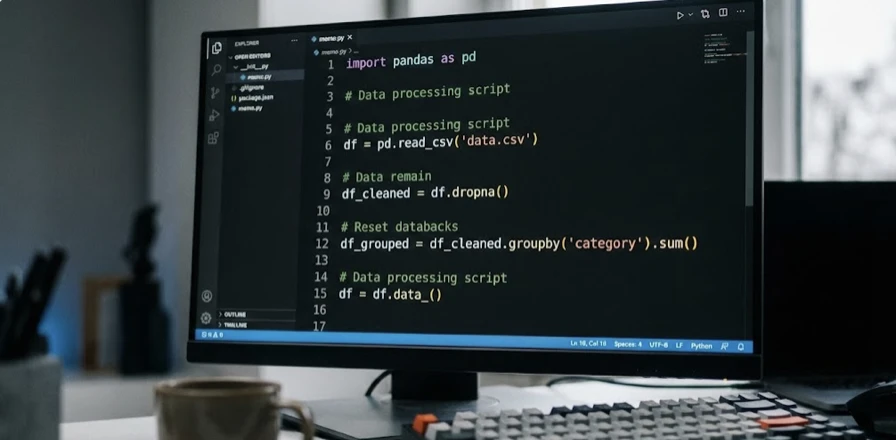
pandas library. This single library transforms Python into a data manipulation powerhouse. Operations requiring dozens of Excel formulas become single lines of code.
Ecosystem depth. Libraries exist for every data format and source: Excel, CSV, JSON, databases, APIs, web pages, PDFs. You rarely build from scratch.
Gentle learning curve. Complete beginners write useful automations within weeks, not months. The language doesn’t require computer science background.
Career relevance. Python data skills appear in job postings across industries. Learning automation opens doors beyond just saving time in your current role.
The Essential Skills Roadmap
Data automation requires specific Python skills in specific order. This roadmap prioritizes what matters most:
Phase 1: Python Fundamentals (Weeks 1-3)
Before automating data, understand Python basics:
Variables and data types. How Python stores and references information. Strings, numbers, lists, dictionaries — the building blocks of any script.
Control flow. If statements and loops let scripts make decisions and repeat operations. Essential for processing multiple files or data rows.
Functions. Organizing code into reusable pieces. Functions turn messy scripts into maintainable automation.
File operations. Reading and writing files is fundamental to data automation. Text files, CSV files, understanding file paths and directories.
Error handling. When data automation encounters unexpected inputs, scripts need graceful failure rather than crashing. Try/except patterns protect your automations.
Phase 2: Data Manipulation with pandas (Weeks 4-6)
pandas is the heart of Python data automation:
DataFrames. The core pandas structure — essentially a programmable spreadsheet. Loading, viewing, and understanding data structure.
Selection and filtering. Extracting specific rows and columns. Filtering data by conditions. These operations replace hours of manual Excel work.
Data cleaning. Handling missing values, removing duplicates, standardizing formats. Real data is messy — cleaning skills are essential.
Transformations. Creating new columns from existing data. Applying functions across datasets. Reshaping data structures.
Aggregation. Grouping data and calculating summaries. Pivot tables and statistical operations that would take forever manually.
Merging datasets. Combining data from multiple sources based on common keys. The programmatic equivalent of VLOOKUP, but more powerful.

Phase 3: Excel Automation (Weeks 7-8)
Most business data lives in Excel. Automation must handle it:
Reading Excel files. Loading workbooks, accessing specific sheets, handling multiple files in directories.
Writing Excel output. Creating formatted workbooks with multiple sheets, proper column widths, and basic formatting.
Batch processing. Looping through folders of Excel files, processing each, combining results. This alone can save hours weekly.
openpyxl library. For advanced Excel manipulation — formatting cells, creating charts, working with formulas.
Phase 4: External Data Sources (Weeks 9-12)
Data automation often pulls from sources beyond local files:
Web scraping basics. Extracting data from websites using requests and Beautiful Soup. Price monitoring, data collection, competitive research.
API integration. Pulling data from web services programmatically. Many business tools offer APIs — learning to use them expands automation possibilities significantly.
Database connections. Reading from and writing to SQL databases. Essential for enterprise data automation.
Phase 5: Automation Infrastructure (Weeks 13-16)
Making automations run without manual triggering:
Scheduling scripts. Running automations at specific times or intervals. Task Scheduler on Windows, cron on Mac/Linux, or Python scheduling libraries.
Email automation. Sending results automatically. Attaching reports, personalizing messages, handling distribution lists.
Logging and monitoring. Tracking what your automations do. Catching failures before they cause problems.
Your First Data Automation Project
Theory matters less than practice. Here’s a concrete first project:
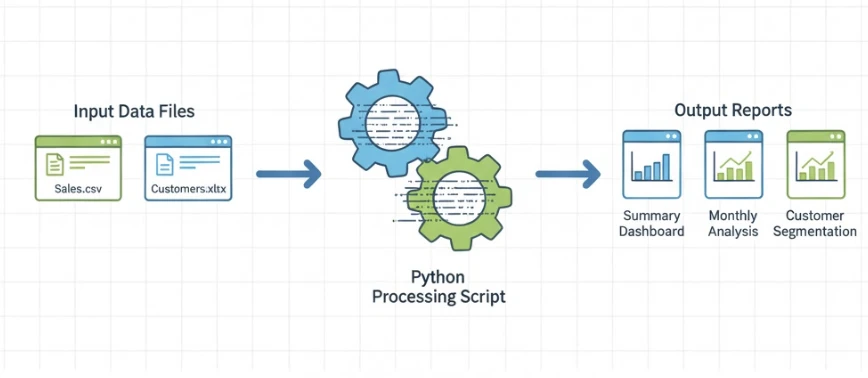
Project: Excel Report Consolidator
The scenario: You receive weekly reports from five regional offices, each in separate Excel files. Currently, you manually open each file, copy relevant data, paste into a master spreadsheet, and calculate totals. This takes 2 hours weekly.
The automation:
- Script scans a folder for Excel files
- Reads specified columns from each file
- Combines all data into single DataFrame
- Calculates summary statistics
- Outputs consolidated report with formatting
Skills practiced: File operations, pandas DataFrames, Excel reading/writing, loops, basic formatting.
Time to build: 4-8 hours after completing Phases 1-3.
Time saved: 100+ hours annually from this single automation.
This project pattern — identify manual task, build automation, measure time saved — becomes repeatable across your work.
Common Mistakes to Avoid
Learn from others’ errors:
Skipping fundamentals. Jumping directly to pandas without understanding Python basics creates shaky foundations. Invest in Phase 1 properly.
Over-engineering early. Your first automations should be simple. Complexity comes later as skills develop.
Not testing with real data. Tutorials use clean sample data. Real data breaks assumptions. Test automations with actual messy data early.
Ignoring error handling. Automations that work perfectly until they encounter unexpected data, then crash, aren’t reliable. Build error handling from the start.
Manual file paths. Hardcoding paths like “C:/Users/John/Documents/Reports” breaks when anything changes. Use relative paths and configuration files.

Tools You’ll Need
Essential toolkit for Python data automation:
Python installation. Download from python.org. Version 3.10+ recommended.
Code editor. VS Code is the popular free choice. Offers Python extensions, debugging, and integrated terminal.
Key libraries:
- pandas — Data manipulation (install: pip install pandas)
- openpyxl — Excel file handling (pip install openpyxl)
- requests — Web and API access (pip install requests)
- beautifulsoup4 — Web scraping (pip install beautifulsoup4)
Jupyter Notebook (optional). Interactive environment great for exploring data and developing automation logic incrementally.
Measuring Your Progress
Track improvement concretely:
Week 2: Can read CSV files and perform basic filtering
Week 4: Can clean messy data and combine multiple files
Week 6: Can build complete Excel-to-Excel automation
Week 8: Can pull data from websites or APIs
Week 12: Can build end-to-end automated reporting systems
If you’re not hitting these milestones, adjust your learning approach — more practice, different resources, or focused help on stuck points.
From Learning to Doing
Data automation skills compound. Each automation saves time that funds learning the next skill. The professional who automates one report this month automates five reports by quarter’s end — not through more study, but through applying and extending what works.
Start with your most painful repetitive data task. Estimate time spent monthly. That’s your automation target. The specific task matters less than beginning — momentum builds from action, not planning.
For a structured learning path covering all phases outlined above — from Python fundamentals through advanced data automation — this comprehensive guide to Python data automation provides detailed curriculum and practical project guidance.
Your future self, freed from hours of manual data work, will thank your present self for starting today.
