
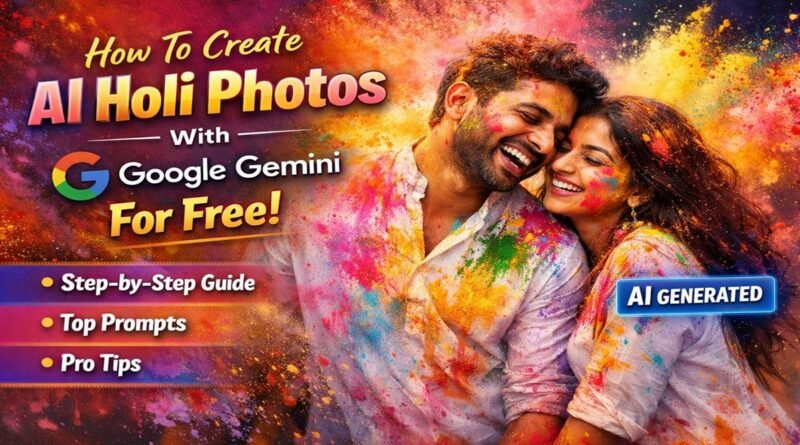
How To Create AI Holi Photos With Google Gemini For Free: Step-by-Step Guide and Prompts
Holi is one of the most colorful and joyful festivals in India. With AI tools, you can now create stunning Holi-themed photos without professional photography or expensive editing software. In this detailed guide, you’ll learn how to create AI Holi photos for free using Google’s Google Gemini, along with ready-to-copy prompts for different styles.
What is Google Gemini?
Google Gemini is Google’s AI assistant that can generate text, ideas, and even AI images (depending on the model and access). You can use it directly from:
- gemini.google.com
- The Gemini mobile app (Android)
- Integrated Google Workspace tools (if available)
It allows you to create AI-generated Holi images using simple text prompts — absolutely free (within usage limits).
Requirements to Create AI Holi Photos
Before starting, make sure you have:
- A Google account
- Access to Gemini (web or app)
- Basic prompt writing knowledge (we’ll provide ready prompts below)
- Optional: Your own photo (for transformation prompts, if supported)
Step-by-Step Guide to Create AI Holi Photos
Step 1: Open Google Gemini
- Go to gemini.google.com
- Login with your Google account
- Select image generation (if available in your region/version)
Step 2: Write a Detailed AI Prompt
AI works best when you describe:
- Subject (boy, girl, couple, family)
- Outfit (white kurta, saree, modern dress)
- Colors (pink, yellow, blue gulal)
- Lighting (cinematic, golden hour)
- Camera style (DSLR, 4K, portrait mode)
- Mood (happy, playful, festive)
Step 3: Generate the Image
- Paste your prompt
- Click Generate
- Wait a few seconds
- Download your AI Holi photo
Step 4: Edit or Refine
If the image is not perfect:
- Add more details
- Adjust lighting instructions
- Change background setting
- Specify “ultra realistic” or “photorealistic”
Best AI Holi Photo Prompts (Copy & Paste)
Here are some ready-to-use prompts:
1. Realistic Holi Portrait Prompt
Create a photorealistic portrait of a young Indian man celebrating Holi, wearing a white kurta covered in colorful gulal powder. Bright pink, yellow, and blue colors flying in the air. Natural sunlight, DSLR camera quality, 4K resolution, shallow depth of field, ultra realistic, vibrant colors.
2. Couple Holi Photo Prompt
Create a cinematic Holi photo of an Indian couple laughing and throwing colors at each other. Both wearing traditional white outfits covered in vibrant gulal. Background full of color smoke. Golden hour lighting, ultra HD, professional photography, realistic skin tones.
3. Slow Motion Color Explosion Style
Create a dramatic slow-motion Holi photo with colorful powder explosion in the air. High-speed photography effect, sharp details, vibrant pink and blue powder clouds, festival mood, realistic texture, 8K ultra HD.
4. Instagram Reels Style AI Photo
Create a trendy Instagram-style Holi portrait of a stylish Indian girl wearing sunglasses and white outfit covered in bright Holi colors. Soft cinematic lighting, aesthetic background blur, vibrant and colorful, realistic photography.
5. Royal Traditional Holi Look
Create a royal Holi portrait of an Indian man wearing traditional kurta pajama, surrounded by flying gulal powder. Cinematic lighting, dramatic background, high detail, ultra realistic photography, vibrant festive colors.
Pro Tips for Better AI Holi Photos
1. Always Use These Keywords
- Photorealistic
- Ultra realistic
- 4K / 8K resolution
- DSLR quality
- Cinematic lighting
- Vibrant colors
2. Mention Camera & Lighting
AI understands photography terms like:
- Shallow depth of field
- Golden hour lighting
- Soft natural light
- Studio lighting
3. Add Emotion & Action
Instead of writing:
“man celebrating Holi”
Write:
“man laughing joyfully while throwing pink and yellow gulal in the air during Holi festival”
More details = better image.
Can You Upload Your Own Photo?
Depending on your Gemini version, you may:
- Upload your photo
- Ask Gemini to transform it into Holi style
- Add colorful gulal effect
Example prompt:
Add vibrant Holi colors on this photo, realistic gulal powder on clothes and face, cinematic lighting, festival atmosphere.
Is It Really Free?
Yes, Google Gemini offers free usage with limits. Heavy image generation may require premium plans, but basic Holi photos can be created free.
Why AI Holi Photos Are Trending
- Perfect for WhatsApp DP
- Instagram posts & reels
- YouTube thumbnails
- Festival greetings
- No need for real color mess
AI-generated Holi photos are clean, vibrant, and highly shareable.
Final Thoughts
Creating AI Holi photos using Google Gemini is simple, free, and fun. Just write detailed prompts, use photography keywords, and refine until you get the perfect colorful shot.
