
Aadhaar–PAN Link Status 2025
How to Link PAN With Aadhaar, Verify Status, Last Date & How to Avoid PAN Deactivation
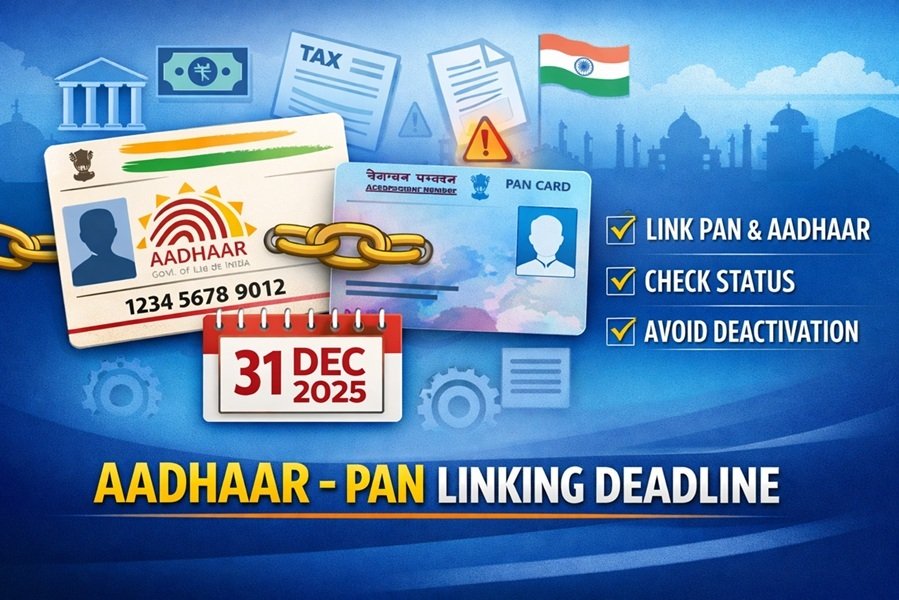
As India moves towards tighter digital compliance, linking Aadhaar with PAN has become a mandatory financial requirement. With December 31, 2025 set as the final deadline for certain PAN holders, failure to complete Aadhaar–PAN linking may lead to PAN becoming inoperative from January 1, 2026. An inoperative PAN can disrupt income tax filing, banking, investments, and high-value financial transactions.
This article explains who must link Aadhaar with PAN, the deadline, step-by-step linking process, fee payment, status checking, and solutions to common issues.
Why Aadhaar–PAN Linking Is Mandatory
The requirement to link Aadhaar with PAN arises from Section 139AA of the Income Tax Act, 1961. According to this provision:
- Every individual who has been allotted a PAN and is eligible for Aadhaar must link the two.
- New PAN applications are automatically linked with Aadhaar during issuance.
- Existing PAN holders must ensure compliance separately.
If Aadhaar is not linked within the prescribed time, the PAN becomes inoperative, meaning it cannot be used for:
- Filing income tax returns
- Opening or operating bank accounts
- Mutual fund and share market investments
- High-value financial transactions
Aadhaar–PAN Linking Deadline 2025
- Last date to link Aadhaar with PAN: December 31, 2025
- PAN becomes inoperative from: January 1, 2026, if not linked
- Applies to individuals who received Aadhaar on or before October 1, 2024
Certain exempt categories (such as non-resident individuals, senior citizens above a prescribed age, or individuals not eligible for Aadhaar) are not subject to deactivation.
Documents Required for Aadhaar–PAN Linking
Before starting the process, keep the following ready:
- Valid PAN number
- Aadhaar number
- Mobile number linked with Aadhaar (for OTP verification)
How to Pay Aadhaar–PAN Linking Fee on Income Tax e-Filing Portal
If your PAN was not linked earlier, a linking fee must be paid before submitting the request.
Step-by-Step Fee Payment Process
- Visit the Income Tax e-Filing Portal.
- Click “Link Aadhaar” under Quick Links or log in and go to Profile.
- Enter your PAN and Aadhaar number.
- Choose Continue to Pay Through e-Pay Tax.
- Enter PAN again, confirm details, and provide a mobile number.
- Verify OTP sent to the mobile number.
- On the e-Pay Tax page, click Proceed under Income Tax.
- Select the applicable Assessment Year.
- Choose Type of Payment – Other Receipts (500).
- The payable amount will auto-populate.
- Generate the challan and complete payment using net banking or other available options.
- After payment, return to the portal to submit the Aadhaar–PAN linking request.
How to Submit Aadhaar–PAN Linking Request
Method 1: Post-Login Mode
- Log in to the e-Filing Portal.
- Go to Dashboard → Profile → Link Aadhaar.
- Enter Aadhaar number and click Validate.
- Submit the request.
- Track progress under Link Aadhaar Status.
Method 2: Pre-Login Mode
- Visit the e-Filing Portal homepage.
- Click Link Aadhaar under Quick Links.
- Enter PAN and Aadhaar number.
- Validate details and proceed.
- Enter the 6-digit OTP received on the Aadhaar-linked mobile number.
- Submit the request.
- Confirmation message will be displayed, and status can be checked later.
How to Check Aadhaar–PAN Link Status
Without Login (Pre-Login)
- On the portal homepage, click Link Aadhaar Status.
- Enter PAN and Aadhaar number.
- Click View Status.
After Login (Post-Login)
- Go to Dashboard.
- Click Link Aadhaar Status or navigate to My Profile.
- The portal will show whether Aadhaar is linked or pending.
Common Problems and Their Solutions
1. Payment Made but Not Verified
- Wait 4–5 working days after payment.
- If still pending, click Continue to Pay Through e-Pay Tax and re-validate.
2. PAN Already Linked With Another Aadhaar
- Contact the Jurisdictional Assessing Officer (AO) to correct records.
- AO details can be accessed on the e-Filing Portal under Know Your AO (pre-login or post-login).
3. Validation Failure
- Ensure name, date of birth, and gender match in both Aadhaar and PAN.
- Retry the process after correction.
4. Request Pending With UIDAI
- Some cases require UIDAI verification.
- Status will update automatically once verification is completed.
Important Points to Remember
- Always verify PAN–Aadhaar linking status after submission.
- Ensure accurate Aadhaar and PAN details to avoid rejection.
- An inoperative PAN can be reactivated after linking, but delays may affect financial activities.
- Contact the Assessing Officer if discrepancies persist.
Disclaimer
This article is intended for general informational purposes only. Taxpayers should rely on official notifications, circulars, and provisions of the Income Tax Act, 1961, and updates issued by the Income Tax Department for authoritative guidance. The author or publisher is not responsible for decisions taken based on this information.
